Key Vault Secrets
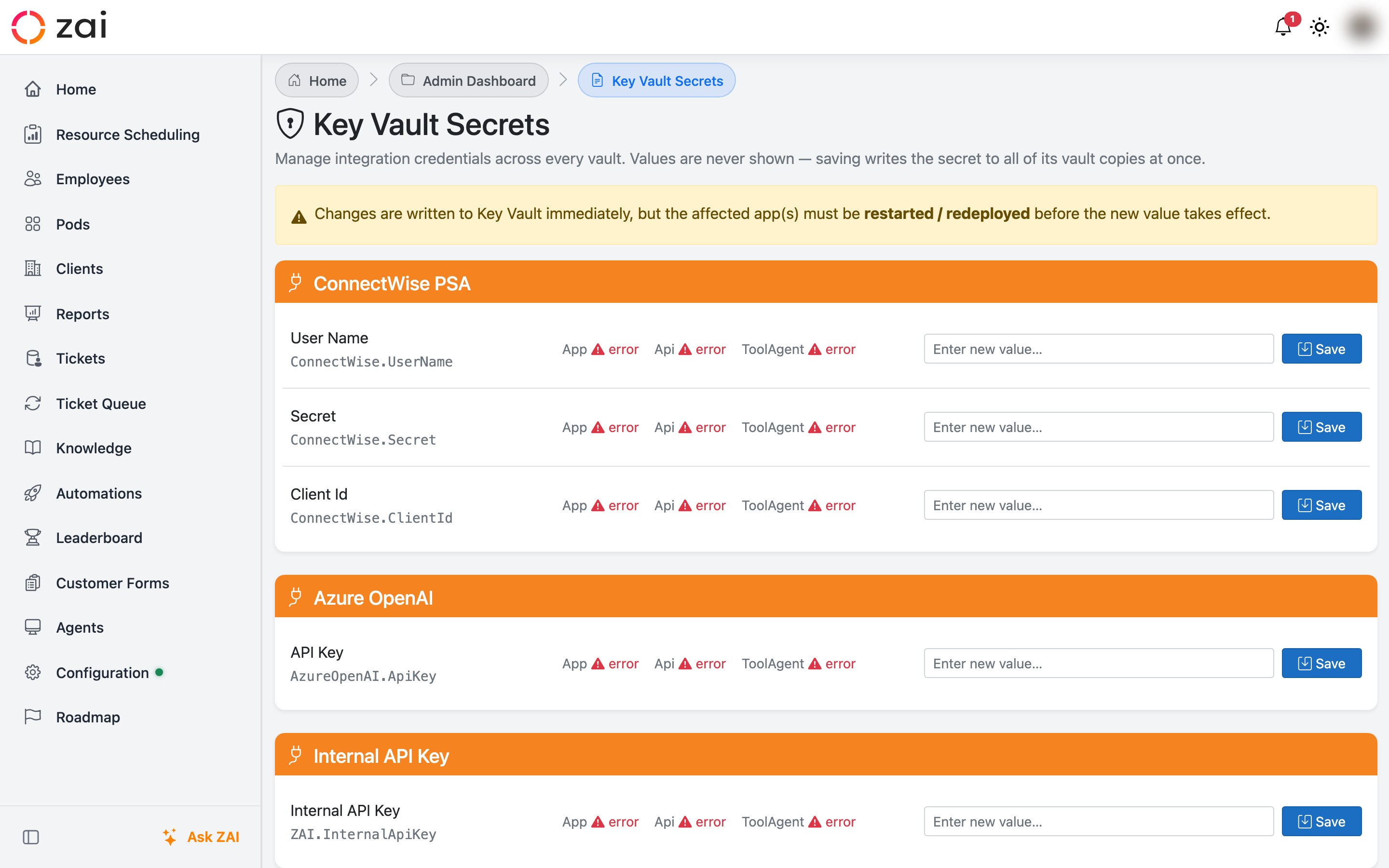
The Key Vault Secrets page manages integration credentials across every vault your ZAI deployment uses — the App, API/Middleware, and Tool Agent vaults — from one screen. It's the tool to reach for when an integration credential needs updating, or when a configuration warning tells you a secret is out of sync somewhere.
Overview
Many integrations (ConnectWise, AutoTask, CyberQP, and others) need the same credential duplicated into more than one vault, because more than one ZAI service consumes it. That duplication is exactly where drift creeps in: a secret gets rotated in one vault and not another, or set in one vault but never configured in the rest.
This page gives you one row per credential ("logical secret"), showing its status across every vault it belongs to, and tools to fix mismatches without you having to work out which vault needs which value.
Values are never shown
The page never displays a secret's actual value, in any vault. You can see whether a value is set, when it was last updated, and whether copies match each other — but not what the value is. Saving a new value always writes it to every vault that credential belongs to.
Getting started
Navigating to the page
Go to Admin Dashboard → Key Vault Secrets.
Secrets are grouped by integration (for example, "ConnectWise PSA", "CyberQP (Identity)", "N-Central RMM"). Each row within a group is one logical secret — a single credential that may live in one vault or be duplicated across several.
Setting or clearing a secret
Enter a new value in the field next to the secret and click Save — this writes the value to every vault that secret's integration requires. To remove a credential entirely, click the trash icon next to Save; this clears it in every vault, and the integration stops working until a new value is set.
Restart required
Saving or clearing a secret writes to Key Vault immediately, but the affected app(s) must be restarted or redeployed before the new value takes effect. The page reminds you of this after every change.
Key concepts
Configuration warnings for drift
If any managed secret disagrees across its vaults, ZAI surfaces a configuration warning ("Key Vault Secrets") that links straight back to this page — you don't need to check the Secrets page proactively to notice drift. A secret that is simply unset everywhere is not treated as drift; it's just an integration nobody has configured yet.
Reading the drift badges
Each secret can show one or both of these badges:
| Badge | Meaning |
|---|---|
| drift | Set in some vaults but missing from others |
| values differ | The vaults that do have a value disagree with each other |
Per-vault status icons alongside the badges show, for each vault: set (with the last-updated time), not set, or a read error.
Fixing drift — Repair vs. Sync
Two remediation actions are available, and they behave differently:
- Repair copies an existing value into vaults that are missing the secret, without touching any vault that already has a value. Use this when the drift is purely "missing from some vaults" — it's non-destructive by design.
- Sync from App overwrites the other vaults' copies with whatever the App vault currently holds, even where they already have a (different) value. Use this only when you're confident the App vault holds the correct, current value — it replaces credentials the other services are actively using.
Repair all drifted (at the top of each integration group) runs Repair across every secret in that group that needs it, in one action.
Every change — set, clear, repair, or sync — is written to an audit trail recording who made it, which vaults were written, and any vault that failed.
Troubleshooting
A vault shows a read error instead of set/not set. The page couldn't reach that vault at all (network, permissions, or the vault being down). Repair and Sync skip vaults in this state rather than guessing at their contents — resolve the underlying access issue, then retry.
"Sync from App" is greyed out / unavailable for a secret. Sync requires the App vault to actually hold a value for that secret. If the App vault itself is empty, there's nothing authoritative to sync from — set a value there first (or use Repair if another vault already has the correct value).
Repair says "needed no repair." All reachable vaults for that secret already have a value set — there's nothing missing to copy. If you expected a value to be corrected, you likely wanted Sync from App instead, which overwrites existing values.
A saved value doesn't seem to take effect. Confirm the affected service was restarted or redeployed after the save — Key Vault writes are immediate, but running services keep whatever they loaded at startup.