Marketplace
The Marketplace is where you browse and deploy the ready-made workflows, automations, and triage configurations shipped with ZAI, and configure your third-party integrations, all from one place.
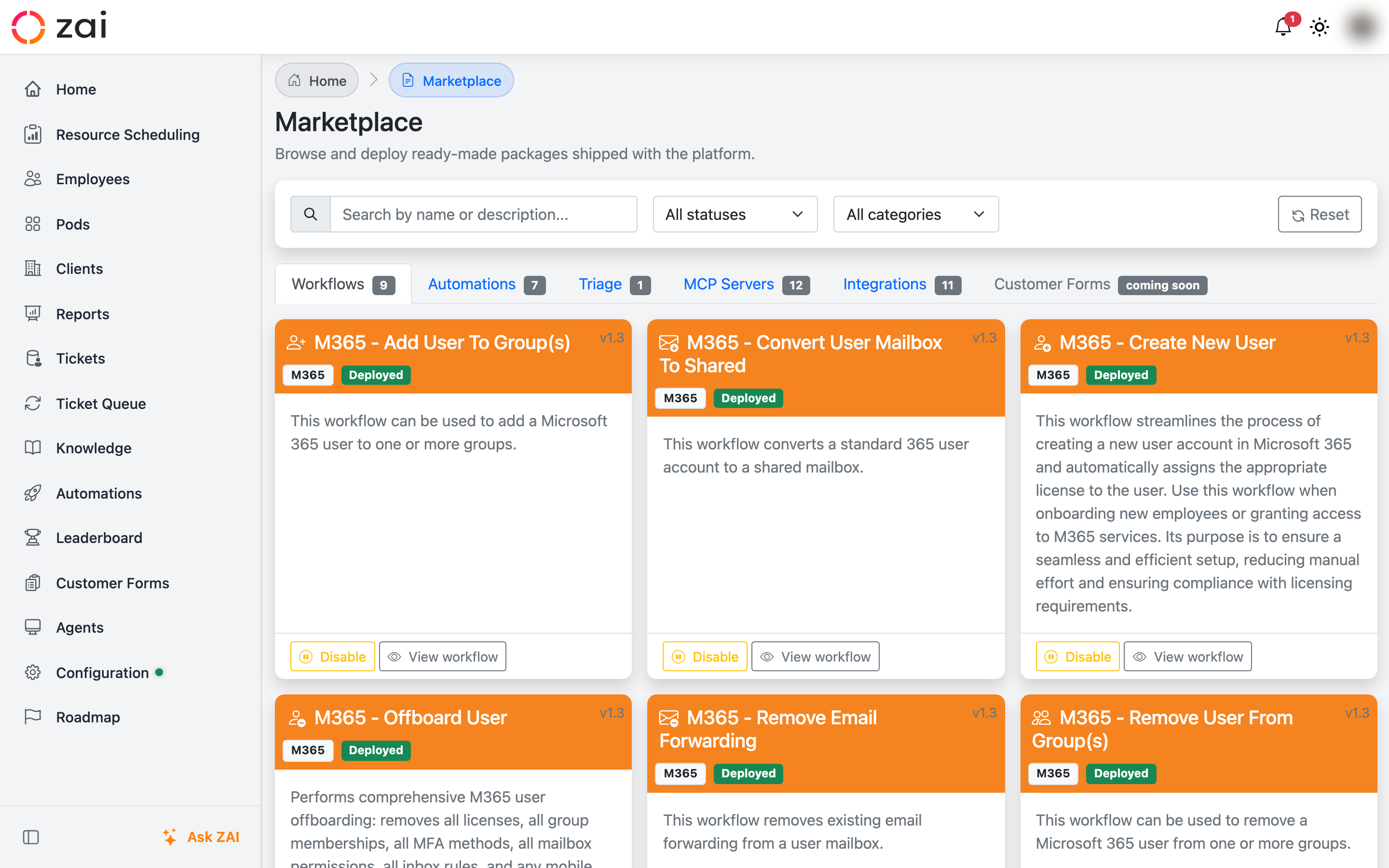
Overview
Go to Marketplace to open the page. It's organized into tabs:
- Workflows — ready-made workflow packages you can deploy as-is
- Automations — ready-made automation packages
- Triage — pre-built triage configurations
- MCP Servers — AI-connected vendor integrations
- Integrations — non-AI third-party integrations
- Customer Forms — coming soon
Each tab shows a badge with the number of available items, and items are laid out as cards with an icon or logo, name, version, and status.
Browsing and deploying workflows and automations
Each workflow or automation card shows its name, category, and current status — Not Deployed, Deployed, Disabled, or Update Available.
- Click Deploy to install a package for the first time. You'll be asked to confirm before it's deployed.
- If ZAI detects an existing workflow with the same name, you'll be offered Adopt existing (turns your existing workflow into a managed copy of the marketplace package, with no duplicate created) or Deploy copy (creates a new, separate workflow).
- Once deployed, use Disable / Enable to toggle a package on or off, and View workflow / View automation to open it in the designer.
- If a newer version of a deployed package is available, an Update to v{version} button appears on its card. You can also update every outdated package in a tab at once with the Update all button.
Browsing and deploying triage configurations
Triage packages work the same way, with one difference: instead of enable/disable, a deployed triage card shows how many pods it's linked to, and instead of updating in place, click Clone to duplicate it into an editable copy you can customize for your pods.
PSA support
Workflow, automation, and triage packages can be scoped to specific PSAs. A package with no PSA restriction is visible regardless of which PSA you're connected to; a package built for a specific PSA only appears if that's the PSA you use.
New in 0.7.0 — HaloPSA
Marketplace items now support HaloPSA as well as Autotask and ConnectWise. There's a dedicated HaloPSA triage configuration package alongside the Autotask and ConnectWise ones, so the pre-built triage flow matches how your PSA actually works.
Integrations tab
The Integrations tab lists non-PSA third-party vendors (backup, documentation, RMM, and similar tools) that ZAI can connect to. Each card shows the vendor's logo, and clicking Configure expands a form where you enter that vendor's credentials. Where a vendor supports it, a Test Connection button lets you validate your credentials without leaving the page.
PSA credentials live elsewhere
ConnectWise, Autotask, and HaloPSA are configured on the Secrets page, not the Integrations tab — they don't appear there.
Logos
As of 0.7.0, missing integration logos have been filled in, so more vendor cards show their actual logo instead of a generic icon.